
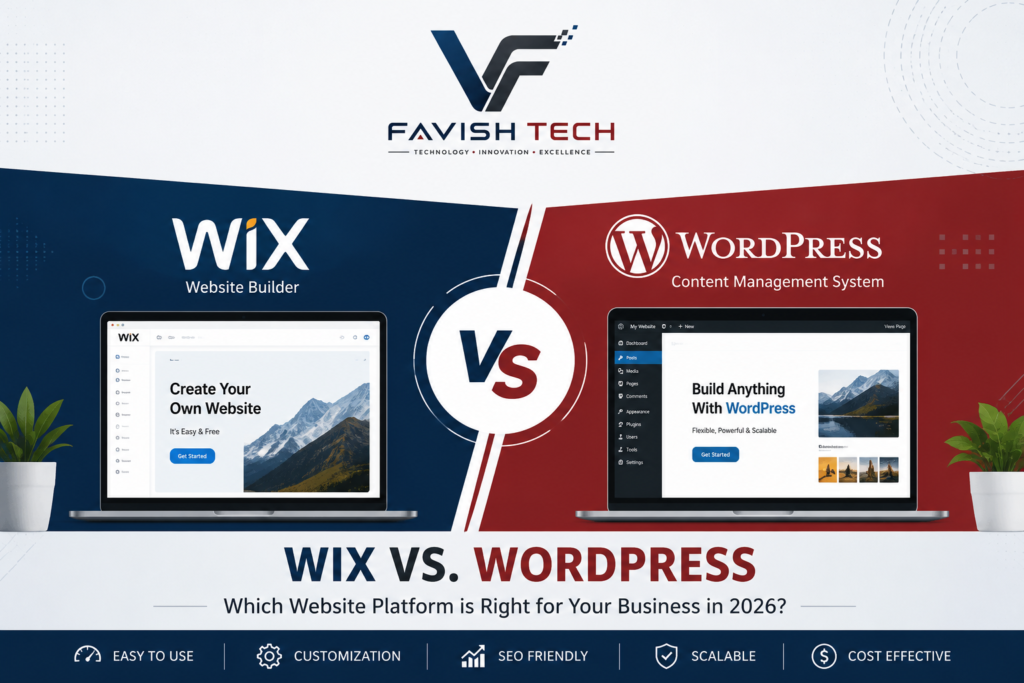
Choosing the right website platform is one of the most important decisions for your business. Whether you’re launching a new website or planning to redesign an existing one, the platform you choose will impact your website’s performance, flexibility, SEO, and future growth.
Two of the most popular website builders today are Wix and WordPress. While both allow you to create professional websites, they are designed for different needs.
In this guide, we’ll compare Wix vs. WordPress in 2026 across ease of use, customization, SEO, performance, security, blogging, eCommerce, and pricing. By the end, you’ll have a clearer idea of which website platform is the best fit for your business and long-term goals.
What is Wix?
Wix is an all-in-one website builder that allows users to create websites using a drag-and-drop editor. Hosting, security, and updates are managed by Wix, making it a popular option for beginners and small businesses.
Pros of Wix
- Beginner-friendly interface
- No coding required
- Hosting included
- Built-in security and backups
- Quick website setup
- Professional templates
Cons of Wix
- Limited customization
- Difficult to migrate to another platform
- Less flexibility for advanced features
- Limited control over SEO compared to WordPress
- Monthly subscription costs increase as your website grows
What is WordPress?
WordPress is the world’s most popular content management system (CMS), powering more than 40% of websites worldwide. Unlike Wix, WordPress gives you complete ownership and control over your website.
With thousands of themes and plugins available, WordPress can be used for almost any type of website—from business websites and blogs to online stores and membership platforms.
Pros of WordPress
- Complete ownership of your website
- Highly customizable
- Excellent SEO capabilities
- Thousands of plugins and themes
- Scalable for future growth
- Suitable for businesses of all sizes
- Large developer community
Cons of WordPress
- Slight learning curve for beginners
- Requires web hosting
- Website maintenance and updates are your responsibility (or your web developer’s)
Wix vs. WordPress for Small Businesses
For small businesses, the choice between Wix and WordPress often depends on how much control, customization, and future growth you expect from your website. Wix can be a good option if you want to launch a simple website quickly with minimal technical involvement. WordPress may be a better choice if SEO, customization, scalability, and advanced integrations are important to your business.
Before choosing a platform, consider your budget, technical requirements, marketing strategy, expected website traffic, and plans for future growth.
Wix vs. WordPress Comparison
1. Ease of Use
Wix
Wix is designed for users with little or no technical experience. Its drag-and-drop editor allows you to build pages visually.
WordPress
WordPress is also user-friendly, especially with visual page builders and the block editor. However, it provides significantly more flexibility for businesses that need custom functionality and advanced website features.
Winner: Wix for beginners.
2. Customization
Wix provides a limited set of customization options.
WordPress offers nearly unlimited customization through themes, plugins, and custom development.
Winner: WordPress
3. SEO
SEO plays a major role in getting your website found on Google.
WordPress gives users complete control over:
- Meta titles
- Meta descriptions
- URL structure
- Schema markup
- XML sitemaps
- Image optimization
- Speed optimization
For businesses that depend heavily on organic traffic, choosing the right platform is only the first step. Proper technical SEO, content optimization, site structure, and ongoing monitoring are also important for long-term search visibility.
Winner: WordPress
4. Performance
Website speed affects both SEO and user experience.
WordPress allows advanced caching, CDN integration, image optimization, and performance tuning.
Wix handles optimization automatically but provides fewer advanced options.
Regardless of which platform you choose, website performance should be tested regularly. Tools such as PageSpeed Insights, GTmetrix, and WebPageTest can help identify slow-loading resources and performance issues. You can learn more about these tools in our guide to the top website speed testing tools.
Winner: WordPress
5. Security
Wix manages security automatically.
WordPress is highly secure when maintained properly with updates, backups, and trusted plugins.
Winner: Tie
6. Blogging
WordPress started as a blogging platform and still offers the most powerful blogging features available.
Wix includes blogging capabilities but lacks many advanced features.
Winner: WordPress
7. eCommerce
Both platforms support online stores.
Wix is suitable for small online businesses.
WordPress with WooCommerce provides extensive flexibility for online stores, including multiple payment gateways, shipping options, product variations, inventory management, subscriptions, and third-party integrations. This makes it a strong option for businesses that expect their online store to grow or require customized eCommerce functionality.
Winner: WordPress
8. Pricing
Wix
You’ll pay a monthly subscription that includes hosting.
As your business grows, premium plans become more expensive.
WordPress
WordPress itself is free.
You’ll only pay for:
- Domain
- Hosting
- Premium theme (optional)
- Premium plugins (optional)
Overall, WordPress often provides better long-term value.
Winner: WordPress
Which Platform Should You Choose?
Choose Wix if:
- You need a simple website quickly.
- You have no technical experience.
- You don’t expect significant growth.
- You prefer an all-in-one solution.
Choose WordPress if:
- You want full ownership of your website.
- SEO is a priority.
- You plan to grow your business.
- You need advanced features or integrations.
- You want the flexibility to customize every aspect of your site.
Our Recommendation
At Favish Tech, we recommend WordPress for most businesses because it provides unmatched flexibility, better SEO capabilities, and room to grow. Whether you’re building a business website, portfolio, blog, or online store, WordPress offers the tools and freedom to create a professional online presence that can scale with your goals.
If you choose WordPress and need help with design, development, SEO, or ongoing optimization, working with an experienced WordPress development team can help you build a more reliable and scalable website.
If you’re unsure which platform is right for your business, our team can help you choose the best solution based on your needs, budget, and future plans.
Need Help Building Your Website?
Whether you choose Wix or WordPress, Favish Tech can help you create a fast, secure, and professional website tailored to your business goals.
Contact Favish Tech today to discuss your project and take the next step toward a stronger online presence.
📝 Frequently Asked Questions (FAQs)
Q1: Is Wix or WordPress better for a business website?
Both platforms can work well for business websites. Wix is a good option for businesses that want a simple, managed platform with minimal technical maintenance. WordPress is often better for businesses that need greater customization, advanced SEO control, integrations, and long-term scalability.
Q2: Is WordPress better than Wix for SEO?
WordPress provides extensive SEO flexibility through its plugins, themes, custom development options, structured data, URL controls, and performance optimization capabilities. However, SEO results depend on how well the website is configured and optimized, not just which platform you choose.
Q3: Is Wix or WordPress better for small businesses?
Wix can be suitable for small businesses that need a simple website and want hosting, security, and updates managed in one platform. WordPress can be a better choice for businesses that expect to grow, need advanced functionality, or want greater control over SEO and customization.
Q4: Which is cheaper, Wix or WordPress?
Wix uses a subscription model that typically combines website hosting and other services into a monthly plan. WordPress itself is free, but you need to pay separately for hosting and potentially for premium themes, plugins, development, or maintenance. The total cost depends on your website’s requirements.
Q5: Can I switch from Wix to WordPress later?
Yes, it is possible to migrate a Wix website to WordPress, although the process may require rebuilding parts of the website and transferring content, media, URLs, and SEO settings. Planning the migration carefully can help minimize disruption.
Q6:Which platform is better for blogging, Wix or WordPress?
WordPress is generally the stronger choice for businesses that plan to publish content regularly and need advanced blogging, SEO, categorization, customization, and content-management features.
Q7: Why is WordPress better than Wix?
WordPress is generally considered better than Wix for businesses that want more than just a simple, quick-launch site. It gives you full ownership of your website, near-unlimited customization through themes and plugins, stronger SEO control (meta data, URL structure, schema, sitemaps, and speed optimization), and better scalability as your business grows, including advanced eCommerce through WooCommerce. Wix is easier for absolute beginners and bundles hosting into one plan, but WordPress usually wins on flexibility, long-term cost, and control, which is why Favish Tech recommends it for most businesses.